Show how a UTC event crosses a reporting-day boundary
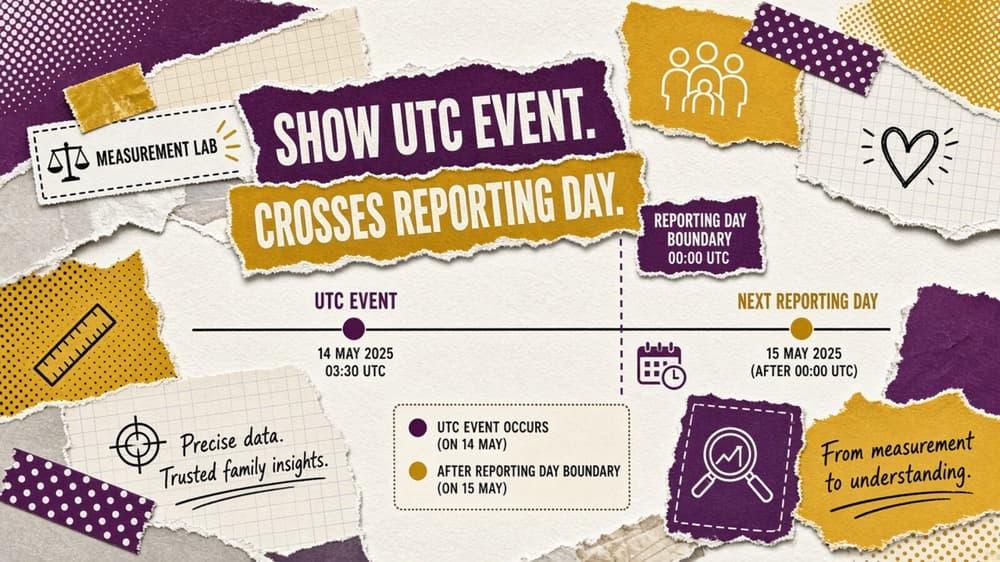
Two daily reports may disagree because they put the same event on different dates. A reproducible illustrative example with editable inputs and explicit limits.
Two daily reports may disagree because they put the same event on different dates. This lab converts a synthetic hour-of-day using a fixed offset and reports whether it crosses midnight. It is an illustration of a reporting convention, not a timezone database.
Define the calculation before using it
Enter the UTC hour and the reporting offset in hours. Add them, wrap the result into a 24-hour clock and separately count the day offset. Keep those outputs together: a local hour of one without its next-day marker loses the very information the exercise is intended to reveal. Use a real timezone library for production timestamps and daylight-saving transitions.
Work through the synthetic example
An event at 23:00 UTC with a plus-two-hour reporting offset belongs at 01:00 on the following day. The calculator reports hour one and day offset one. A dashboard grouped by the local reporting date and an export grouped by UTC can therefore disagree on daily counts while containing the same underlying events.
| Output | Worked-example result |
|---|---|
| Local hour | 1.0000 |
| Day offset | 1.0000 |
Use the artifact and preserve its assumptions
Open the editable calculator to change the inputs and inspect the sensitivity view. The CSV records synthetic inputs and expected outputs; the JSON fixture keeps the equations available for reproduction. These calculations have been checked against the stated example. No measured campaign data is included.
The sensitivity rows vary only offset by 20% below and above the entered value. They are scenarios, not confidence limits or a forecast distribution. A row outside the model’s constraints is labelled rather than turned into a plausible-looking result. Save the chosen inputs with the decision so another reader can distinguish a changed assumption from a changed formula.
Evidence and limits
Google’s export schema defines event_date in the registered app timezone and event_timestamp in UTC. The simplified fixed-offset exercise illustrates why grouping those two fields can produce different daily buckets. See Google Analytics BigQuery Export schema, especially “event_date, event_timestamp, event_value_in_usd and event_params fields”.
Fixed offsets do not capture daylight-saving changes or historical timezone rules. This exercise does not transform real event timestamps and cannot certify a platform’s date-grouping configuration.
Background: UA metrics explained: CPI, ROAS, LTV and payback and Reading an MMP dashboard without fooling yourself. These existing articles provide context; the present calculation does not verify every archived claim.