Playable QA: five failures networks reject
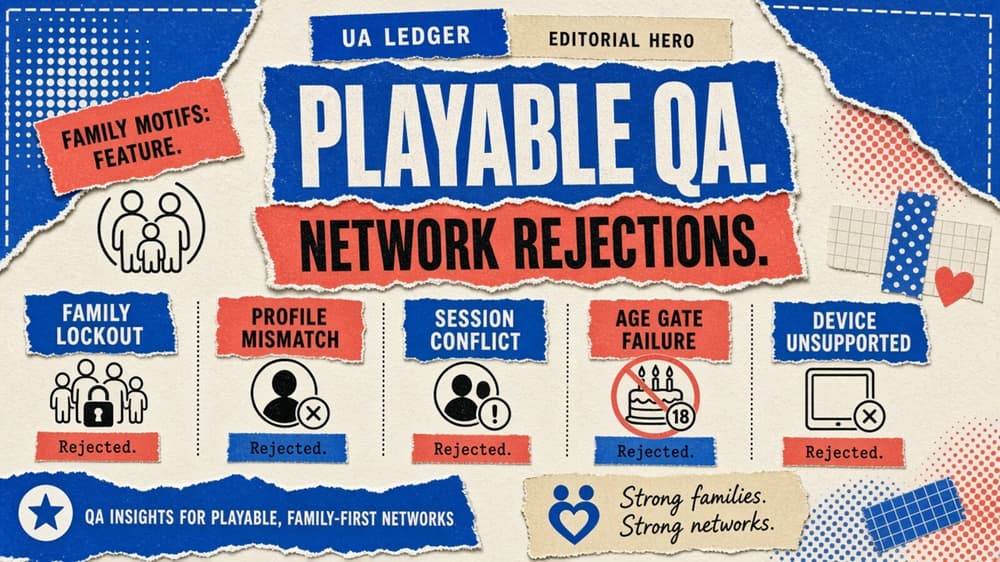
Playable QA network rejections usually trace back to five recurring failures in size, orientation, interaction, audio and click handling.
A persuasive playable that fails delivery isn't an asset at all. It's unshipped work with a media budget already allocated against it. Playable QA network rejections need to cover both the user experience and the technical envelope each destination requires, and studios that treat QA as a final glance before upload tend to discover this the expensive way, on the day a campaign should have launched.
Playable QA: test the real package, not the preview
Test on representative devices, using the actual archive you'll upload to each network. Validate size and startup time; orientation changes and safe areas; touch targets and audio behaviour; offline loading and click handling. A preview URL rendered in a desktop browser is no substitute for the final packaged build, because compression and asset loading order, along with click-tracking wrappers, can all behave differently once a build sits inside a specific network's runtime. Teams that sign off on the preview and assume the packaged version behaves identically are the ones a rejection most often surprises.
The five failures worth checking every time
Package size over a network's limit is the most common rejection and the most avoidable; the usual culprit is an unoptimised video asset or an uncompressed texture that slipped through. Broken orientation handling is second, where a build locks to one orientation instead of adapting, or where UI elements overlap after a rotation. Third: touch targets that are too small or sit too close to the screen edge, particularly on smaller Android devices that never made it into the test pool. Audio that autoplays without a mute control, or that fails silently when a device is in silent mode, is the fourth. And click handling that fires from anywhere on the screen rather than the intended call-to-action area is the fifth, which is also the failure most likely to draw a policy flag rather than a simple technical rejection.
Make failure reproducible
Record the network and device for every defect found during QA; the environment and build hash; the exact action sequence. A vague note such as "CTA broken" creates a second investigation instead of a fix, since whoever picks up the ticket has to reconstruct what "broken" meant before they can attempt a repair. A defect log with a specific device model and OS version, plus a numbered sequence of taps, turns a QA finding into something an engineer can act on within minutes rather than hours.
This discipline pays off beyond the immediate fix. A studio that keeps a running log of reproducible defects across builds starts to see which device tiers or OS versions generate a disproportionate share of rejections, which is exactly the information it needs to expand the QA device pool in the right direction rather than guessing at which devices to add.
Build QA into the production lane to prevent network rejections
Rejections cost so much because they arrive after creative and media calendars have already committed to a launch date. The engineering time is the smaller loss; the larger one is a media plan that now has a gap in it. Fold the five-failure checklist into the production pipeline itself, as a gate a build must pass before anyone submits it for creative sign-off, and you catch most of these issues while there's still time to fix them without disrupting anything downstream.
QA works best when it sits close enough to production to see a build before anyone calls it finished, but independent enough that the person who built the interaction isn't the one checking it. A small studio doesn't need a dedicated QA department for this; a rotation where one creative technologist reviews another's build against the checklist, rather than their own, is usually enough to catch the failures a rushed self-review tends to miss.
The UA Ledger view
Build QA into the production lane, not around it. Rejections are expensive because they arrive after creative and media calendars have already committed, and the five failures above account for the overwhelming majority of them. A short checklist, applied every time, costs a production team very little to run and saves it a disproportionate amount.